01
Athletes struggled to fit nutrition around classes, practice, and commuting.
I interviewed two community college swimmers and observed one participant’s routine. One described struggling to get enough food around a 30-minute commute, other commitments, and practice.
“just having the right nutrition to last me my commute, my other commitments, and practice, is really hard.”
— Carol, community college swimmer (pseudonym; excerpt from research synthesis)
The opportunity was to make nutrition fit their actual day.
02
I started with athletes’ needs before deciding to build a meal-planning app.
I wrote research questions and interview prompts, conducted the interviews, and connected observations to need statements. My research explored the broader experience of community college athletics, including community, motivation, and fatigue. Nutrition emerged as one concrete design opportunity.
“There were times where it was really hard to stay swimming, especially balancing it with school and work and also just being tired.”
— Mary, community college swimmer (pseudonym; interview transcript)
Mary’s account added context about competing demands and fatigue; it was not evidence that she requested a nutrition app.
Our team explored alternatives before selecting a nutrition-planning concept. I contributed to brainstorming and sketches and created the student-athlete persona used to ground our decisions.
03
I owned onboarding from early sketches through implementation.
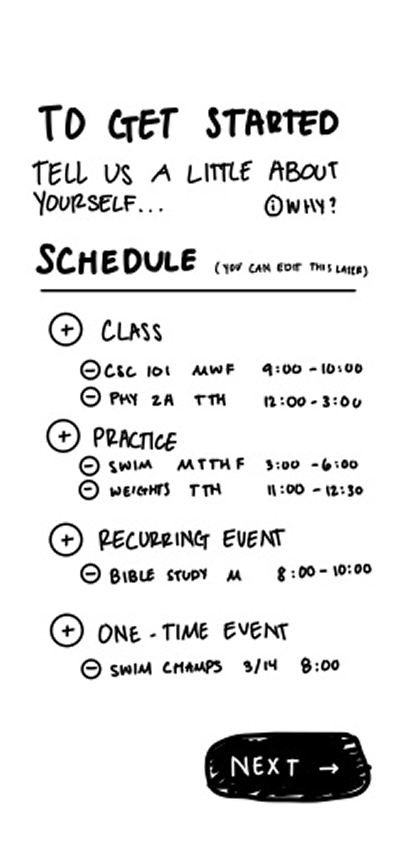
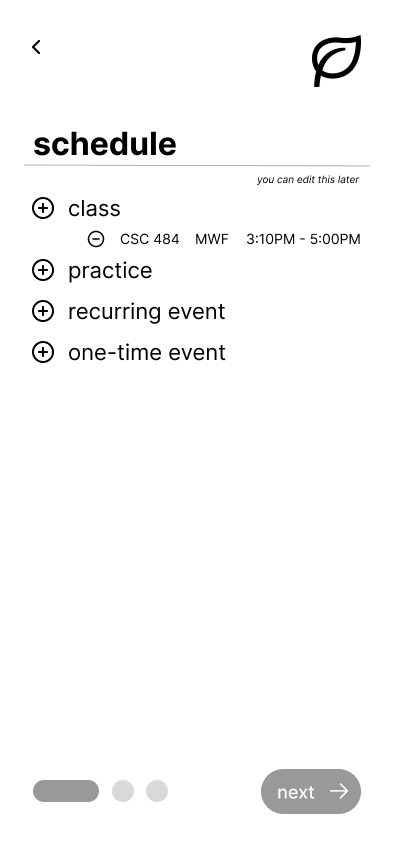
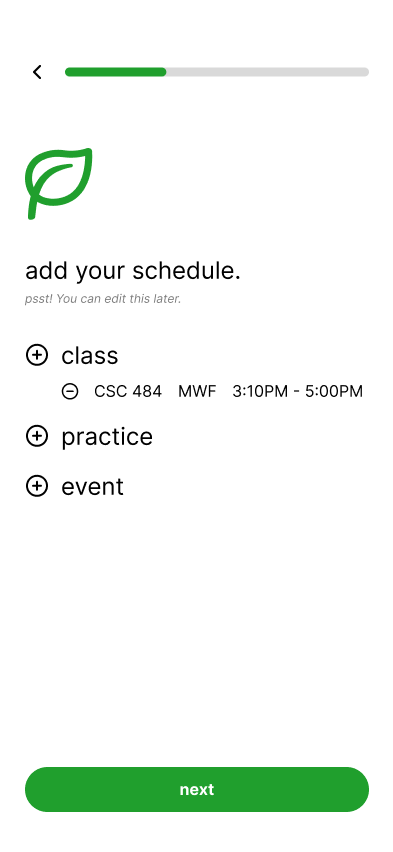
Athleat needed users’ schedules, dietary goals, and preferences to demonstrate personalized meal planning. I designed the onboarding sequence, developed the product’s name and visual direction, and implemented onboarding in the team’s front-end prototype.
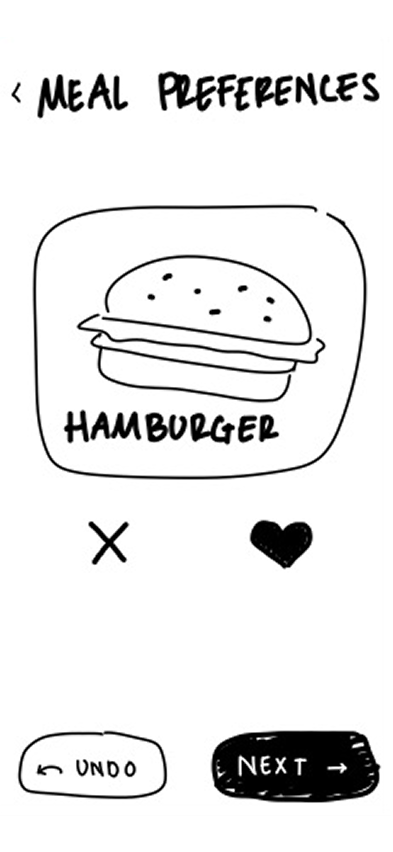
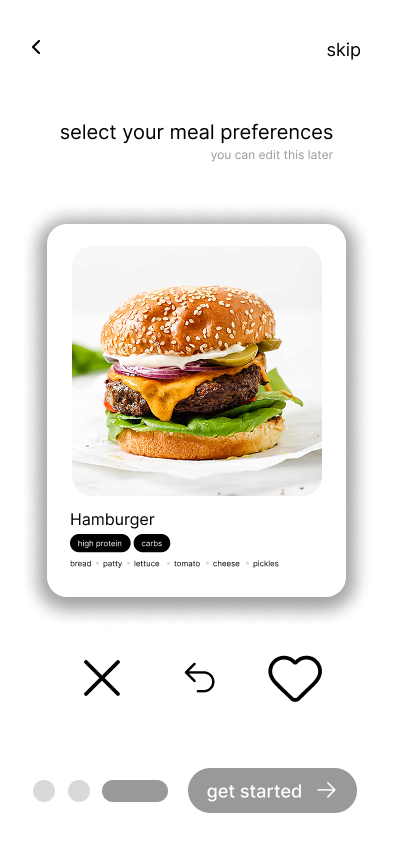
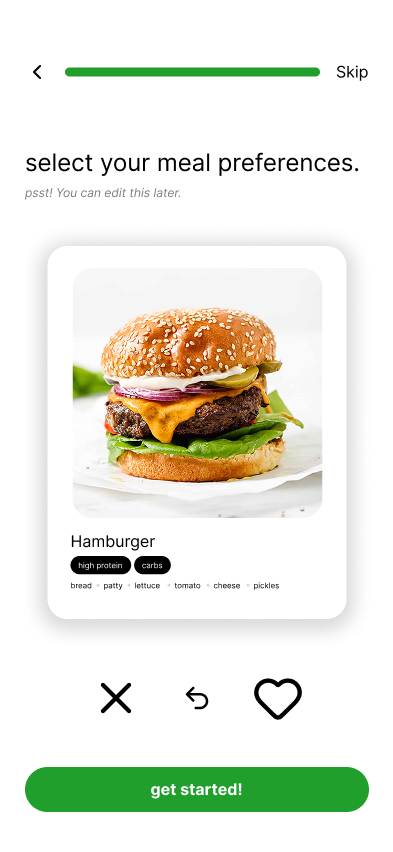
The frames below trace the schedule flow from a hand-drawn layout to a structured wireframe and the final visual treatment.
04
Testing showed that setup choices needed to feel changeable.
During the usability session I conducted, a participant asked whether meal preferences could be changed after onboarding. I proposed clarifying that preferences could be edited later and adding access through the profile. This also gave users a way to defer preferences during initial setup.
The revised preference screens include a Skip action and reassurance that choices can be edited later. These changes addressed the feedback; we did not measure a reduction in setup time.
05
Meal planning shifted from a weekly commitment to one day at a time.
My testing notes captured confusion about which day was selected and why planning jumped straight to a grocery list. Later team evaluation also identified that meal planning began in the groceries area, where users might not expect it.
The team revised the experience so users could enter meal planning from the home calendar and plan individual days. This was a team-level change; my main design ownership remained onboarding.
06
I helped make onboarding details persist and remain editable in the prototype.
Later evaluation found that setup information was not consistently reflected elsewhere in the app and that some edit controls did not save changes. I contributed code fixes for those issues and worked on layout responsiveness. This extended my role beyond designing the setup screens to supporting how those details behaved afterward.
07
The result was an iterated prototype, with a clear boundary between the interface and the product concept.
We designed and built a front-end experience for setup, meal planning, groceries, and progress tracking. The prototype simulated the intended nutrition experience rather than connecting to a working recommendation backend. Testing informed revisions, but we did not establish improvements in nutrition, adherence, or long-term use.
08
Next, I would test whether the revised onboarding helps athletes get started and make changes later.
I would ask athletes to complete setup, skip preferences, and return to edit schedules and goals. That would help assess whether the revisions made the flow clearer before expanding the product’s functionality.